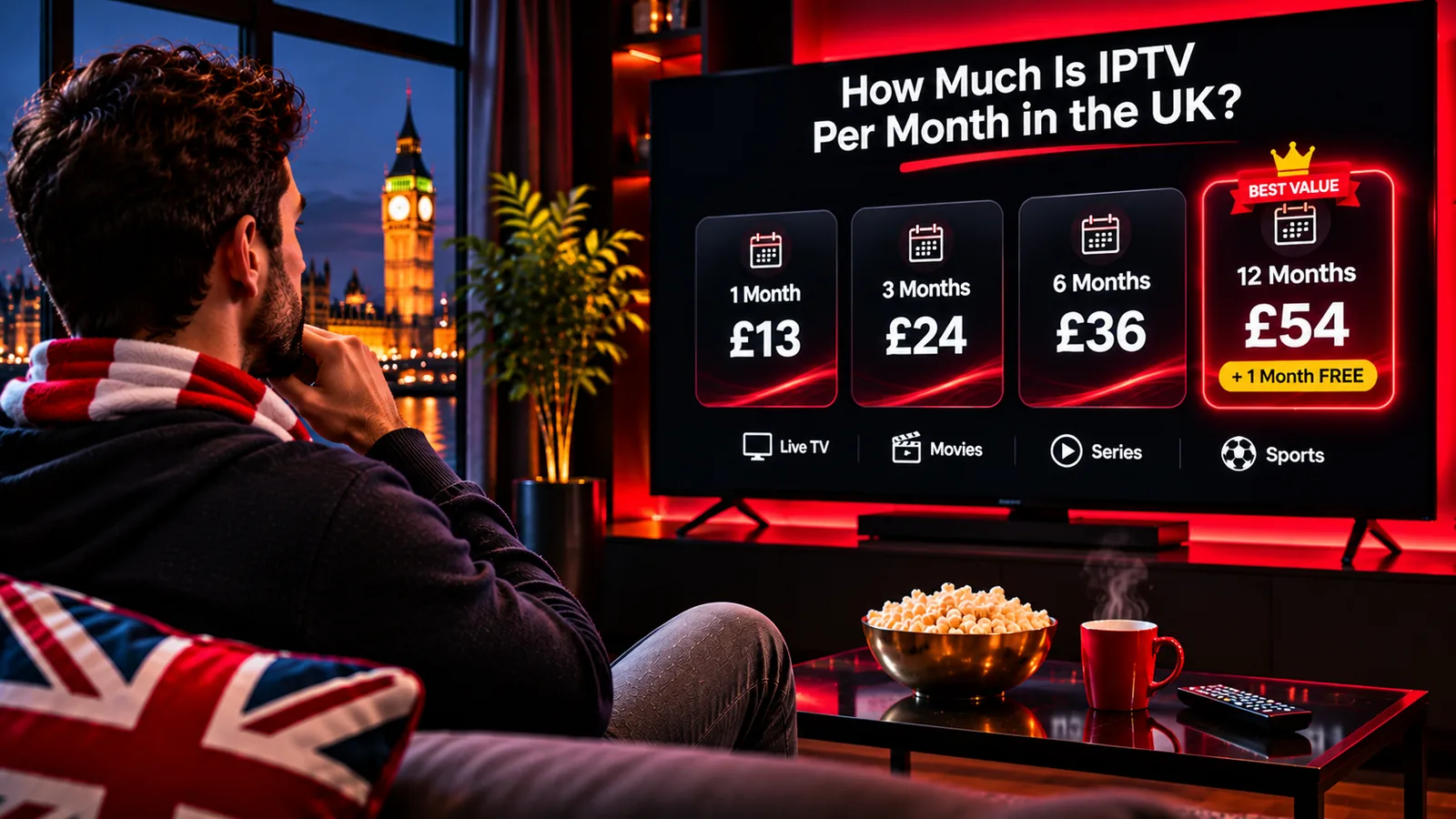
How Much Is IPTV Per Month in the UK?
Understand IPTV subscription costs in the UK, compare different package durations and learn how to calculate the monthly equivalent of upfront plans.
Read article
Discover the potential extra costs of streaming in the UK, including internet access, compatible devices, optional applications and home network equipment.

The subscription price is the number everyone compares, but it is rarely the whole cost of watching. Your broadband, your screens and your home network all play a part — and some households end up spending more on these than on the subscription itself.
This article helps you build a realistic streaming budget by separating the costs you probably already have from the optional extras you might consider, so nothing comes as a surprise.
Streaming needs a home internet connection. Most UK households already pay for broadband, so for many people this is not a new cost. What matters is whether your current connection is comfortable for streaming alongside everything else your household does online.
If you are thinking of upgrading your broadband, check your contract first: upgrades can come with a new minimum term. Try a free trial on your current connection before deciding an upgrade is needed.
You need a compatible device to watch on. Many people already own one — a Smart TV, a phone or a streaming stick. Check the compatible devices page before buying anything new; you may not need to.
If your television is older or its apps are limited, a separate streaming device can be an option. Prices vary widely, so compare what you actually need rather than buying the most expensive model.
Some households choose to pay for an optional app or an app upgrade on their device. Treat this as a separate, optional decision. Ask us what you need before paying for any app, so you do not spend money on something that is not required.
If Wi-Fi is weak where your TV sits, a few items can help: an ethernet cable, a powerline adapter or a mesh Wi-Fi system. These are optional. Before buying, try the free checks in our home network setup guide — moving the router or the device can sometimes be enough.
Over time you may decide to upgrade a television, a router or your broadband. These are long-term household choices rather than costs of a subscription. Spread them out and make them only when there is a clear reason, such as a device that no longer receives updates.
A simple way to budget is to list costs in three groups:
A household with broadband and a Smart TV that works well might have no extra costs at all: just the subscription. A household with weak Wi-Fi in the living room might add a one-off ethernet cable. Writing it down like this shows the real figure, rather than a guess.
Our subscription prices are shown on the pricing page, and every package includes the same features. Nothing on the list above is required to buy a package from us. If anyone tells you an extra purchase is mandatory, ask why in writing. For a clear look at subscription costs alone, read how much IPTV costs per month in the UK.
Often not. Many households already have broadband and a compatible device. Check the devices page before buying anything.
Not necessarily. Test the free trial on your current connection first, and try the home network checks before upgrading.
No. They are separate household costs and are optional unless your current setup cannot run the service.
This is general guidance for UK viewers, not legal or technical advice for your specific setup. If you are unsure, ask our team.
Understand IPTV subscription costs in the UK, compare different package durations and learn how to calculate the monthly equivalent of upfront plans.
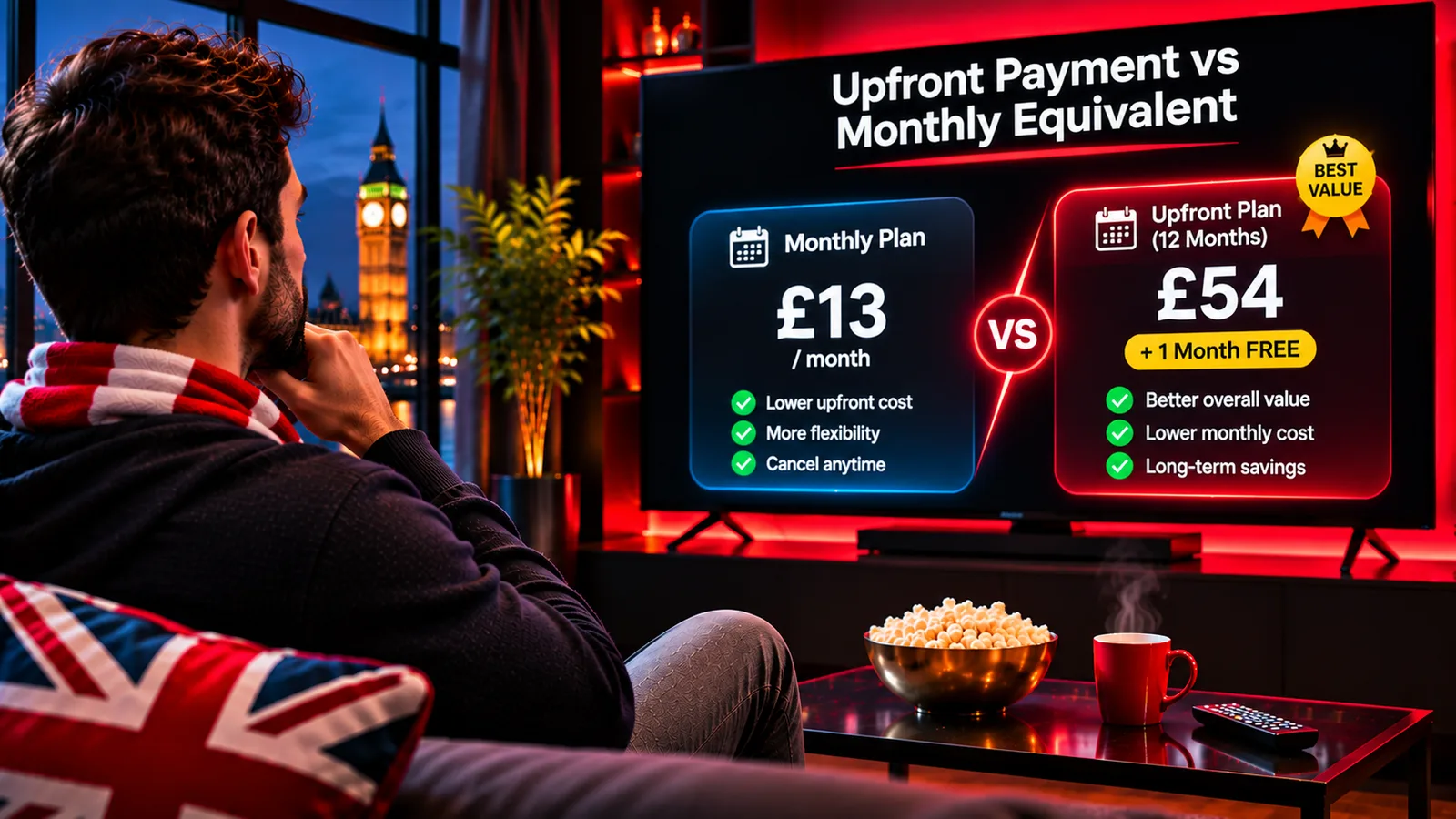
Read articleCompare upfront IPTV payments with monthly subscription costs, understand package durations and learn what to consider before choosing a plan.
Read articleLearn how to prepare your home network for streaming, improve Wi-Fi coverage and understand the benefits of a stable internet connection.
Read guide